| |||||||||
The Art of
|
|
The most common mistake is recording vocals too loud or too soft. The main goal to recording a solid vocal is to get all of the performance. It's not easy to set levels with a good, dynamic vocalist. As soon as you think you have the level pegged, they do something like move a few inches and you find out they are louder than you thought and meters are in the red. So you lower the level and find out that the meters are barely moving at all. If the vocalist is nervous and moving around, you might spend hours and never find an optimum level. The human voice is extremely dynamic, from soft whispers to piercing screams. If the level is too low, you will be bringing in noise and hum if you amplify it later. However, if you record too loud, there will be times when the file goes "over" which will likely result in damage that cannot be corrected later. The solution to this madness is to use a compressor in the chain after the preamp. The compressor, essentially, automatically lowers the volume when the input exceeds a certain threshold. It's like an invisible hand on a volume control. This allows a vocalist to get louder without going into the red. One of my favorite settings is to have the input to the compressor boosted so that all the "soft" words come through with a strong level. As soon as the vocalist gets louder, the clamping down begins and if they scream, it clamps down hard. The ideal is to have more consistent loudness no matter what they are doing.
| Large Condenser Microphones
|
Tweak smiles. "Ok, now you must understa.."
[suddenly Mr. Noob in the back row, shouts out] "Tweekie Deekie, just tell
me the best settings for my gear so I can just set it up that way and get the
perfect vocal". Tweak scowls ay Newb, Now look, dudes. There's no absolute
anything recording everything. But there are a few things to keep in mind
in your quest for the ideal settings. The ideal settings depends on a few
things: the mic's sensitivity, the vocalists dynamics and use of
proper mic techniques, the trim level on your pre-amp and finally
your compression settings. We will go over each one of these in
enough detail to get you going.
The more dynamic (louder) the vocalist, the
less sensitive the mic needs to be. Some condenser mics will distort
like madness if the vocalist is too close when they scream and it is an awful
sound, especially if you are wearing cans (headphones). There is nothing
you can do to fix that audio either. Because the distortion happened before
the signal hits the compressor, all the compression in the world cannot help.
If there is a -10 or -20 pad on the mic, use it with untrained wild
vocalists. Otherwise, use a dynamic mic which is less susceptible to break
up under high sound pressure levels (SPL). Or you can have them
take a step back before they commit their bellow from their personal living
hell. But oops, that's in the next section.
Note: Don't think that a vocal mic has to be a large diaphragm condenser. There are many fantastic sounding dynamic vocal mics.
This depends on the volume of the vocalist.
A soft sensitive voice requires that the vocalist nearly devour the mic.
Tweak smiles. Newb? I was kidding. Don't really eat the mic.
I meant 4-6 inches away. Otherwise, the rule of thumb is about 1
foot away. The vocalist should back away a few inches when they get loud
and come in a few inches closer for quiet intimate parts. The vocalist
should not sing directly into the mic, or bassy wind noise will get in the way.
Just a few degrees to the side is better. A pop filter
should always be used. This is not only a good device for getting
rid of plosives and spitty sounds, but can be used to keep the vocalist from
getting too close and out of the range where a proximity effect might engage
excessively. It also keeps the sensitive diaphragm in your mic smelling better.
Uh, class, that was a joke. <Class rolls eyes in unison>
Time out: Mr Newb, who has been fidgeting all this time with his small plastic mic, shouts out: So What is a proximity effect, U TweekHead? The class murmurs "ooooooo". Tweak sticks his hand into the big box of manuals and come up with a vintage SM57 leaflet and approaches Newb like he's going to slap him silly with it.
OK, Mr. Newb, the proximity effect is the
tendency of some microphones to exaggerate the bass frequencies of a vocal when
the vocalist "eats", err, gets within 1 inch the mic. Comedians, radio
announcers and performers often use this to great effect, but in a pop song, you
typically don't want this sudden bass enhancement. And it's "Tweak", not
TWEEK!"
This is the amount of gain (volume)
applied to the mic signal, and it is calibrated in db (decibels) from 0 to
typically 60db All mics differ a bit on how much juice they need. If
you have a condenser mic, phantom power needs to be engaged to power the preamp.
Dynamic mics don't need phantom power. Most mics will fall between 15-40db of
boost. Have your vocalist practice singing and try to get the loud peaks to peg
close to 0db. This will give the compressor a healthy level to work with.
If you are not using a compressor you will have to lower the trim to ensure the
signal never reaches 0db. That is a much lower signal than you might
think.
Setting Gates: Compressors do add noise to a signal, and they do destroy dynamic range. Noise is taken care of by gating the signal. When it dips below a certain threshold, the audio signal is muted. This is effective for getting rid of low level noise you do not want in the file, such as bleed from headphones, or the vocalist moving, turning pages on lyric sheets, etc. Gates have two parameters: 1) The noise floor threshold, and the Rate. The Noise floor threshold eliminates all of the signal when it dips below the threshold, which is set from -50db to -10db. I keep mine set to -30db. Yet one has to be careful. If the gate is set too high, then the attack of the vocalists words may be cut off or come in too abruptly. The Rate parameter "fades out" the audio signal as the gate come on. This is effective to prevent the gate from chopping off the tails of the words. Usually a rate of 1-1.5 sec is enough.
Setting Threshold: The Threshold is the all important level at which the compressor kicks in. If you set the threshold to -10, it will leave all of the signal under -10 alone. When the signal exceeds -10 then it starts compressing at the ratio. -10 is an excellent place to start. Don't confuse this with the fact that your gear is outputting -10 or +4 impedance wise. Though the threshold seems like it is a volume control, it is not. It is merely telling the compressor at what level compression takes over the signal.
Setting the Ratio 2:1 is probably the most common setting for a compressor recording or playing back nearly anything. A great starting point. What this means, simply, is that it takes 2 decibels of sound energy to raise the output meter by 1db. You can read the 1st number as the db IN and the second as the db OUT. Again, 2db IN equals 1 db OUT. Easy, huh? Yeah, with 2:1 you simply divide by two. You noobs now should have a little light bulb going off in yer headz. So lets test yourself, do the math, then you will grasp this fully.
"Mr. Noob! Wake UP!" [the class spins around a Newb drops his plastic mic]
"Wha, Tweek?"
Answer this: If your vocalist was singing at -10db and suddenly got 20 db louder, without compression, where would the meters post?
"Uh, that's easy -10+20=+10. The meters would post at +10
Correct! Which, as you should know is way to loud and would ruin the track. Now, if you had 2:1 compression applied, where the output is half of the input, where would the output meters post?
[tick tock tick tock sound of Newb calculating, sweat dripping...]
lessee -10+(20/2)= is... is....is....zero db!
Yes! [Tweak plays his halleluiah chorus sample] It's Perfection. Why is that? The vocalists 20db burst was compressed to an actual 10 db difference in gain. (the ratio 2:1 is the same as 20:10, or half). Makes sense? Cool. (Note, you don't have to record all the way up to 0db, leave a cushion for the best sonics)
Lets go one step further, make sure you got this in your head. If you had the compressor set at a 10:1 ratio what would that mean? It would mean for every 10 decibels of gain the meters would only go up one db. So in our example, then, the 20 db burst would only let the meters go up by 2db (10:1 is the same as 20:2, or 1/10th of the original sound), Since they started at -10, the overall level would be only at -8 during the sudden 20db boost. Hardly any change in the output level at all. Would that sound "squashed"? You bet. U be pumpin', dude.
[Tweak does his "Saturday Night Fever" hip thrust, the class giggles]
Ok, you just got through the hard part. Congrats!
Setting Attack and Release: These settings can be tricky as they can "delay" the effect of compression on the attack and make is hold on a bit too long on release if set improperly. I suggest till you get these tricky settings figured out (which takes quite a bit of experimentation) you simple use the fastest attack and enough of a release so the vocal is not boosted as the word trails off. Otherwise a word may pump on you unnaturally.
Setting the output: This is the final adjustment as the signal leaves the compressor. It's sometimes called the "make-up gain". They call it that because compression often lowers the overall signal and you may need to boost it back up. Basically you want to optimize this so it does not ever go over 0db in the recorder. With luck you should see a consistent healthy level on the recorder's input meters regardless of how loud the vocalist is singing.
Just a final note, you can compress again after the vocal is recorded as you prepare your tracks for the mix. So, don't get too wild with settings at the input (recording) stage. You want the recorded vocal to sound natural, where the compressor just makes it an overall more useful signal to tweak later with exciters, harmonizers, pitch intonation correctors, and effects like reverb, delay. etc.
"OK, now we'll take some questions. And they better be good ones, or," glancing at the manuals, "you'll be reading tonight" [some of the raised hands turn into head scratches]
| Q) Tweak, should I use the limiter on my compressor for vocals? How do I do this? | Q) Does a "soft knee" help with vocals? Err, what is a "soft knee" |
| You typically engage the limiting function by setting the ratio to infinity:1. This means no program material will be output over the level set in the threshold. You can use it for vocals, but it often causes extreme gain reduction and can make for a lifeless vocal. If the threshold is set high enough it will only flatten the peaks, but will not offer much improvement over dynamics of the original signal. | A) When studio engineers are on their 4th marriage, they are said to have a soft knee. :) Just kidding. Alright stop laughing! Yer gonna wake up the pros! :) A soft knee is a feature that affects the "slope" of the ratio as it goes over the threshold. The soft knee is a little more gentle on audio material as the compression kicks in gradually rather than abruptly as the signal crosses the threshold. It's very subtle and you might not hear any difference at many settings. Leave it on for vocals. |
| Q) Tweak, I don't get it. Why use a compressor at all at the input stage if you can compress later on? Why not just "normalize" the signal after is is recorded? | Q) How important is having a great mic? |
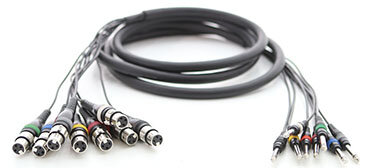
| Note that for 24 bit recordings you don't have to use compression and you certainly should not normalize, unless you like amplifying noise. Just record at a lower level compress later. If you do this you should follow that philosophy for all your tracks. Compression cannot be undone. If you do use compression use gentle settings like 2:1, which are unlikely to wreck the dynamics of the vocal. At lesser bit depths, like 16 bit or on analog tape, However, without compression, as stated before, the recording will may come out "spiky". By spiky, I mean the average level will be too low and the peak level too high. Without compression one might have to do a vocal take over and over due to the vocalist ripping through the roof. | Great mics impart subtle, sweet characteristics, i.e., "flavors" to the sound. But without an excellent preamp, many of these qualities will not come through. You might be surprised how good a lowly $100 SM57 sounds through a $1000 preamp. But given a good preamp, one of the harder characteristics to emulate is "smoothness" using a cheap mic. A great mic and preamp sounds sweet by itself with little tweaking. Microphone purists want to preserve the great sonics of their mics and do little tweaking. However, you can dramatically alter a mics response with EQ and compression and improve it's overall performance quite a bit. Almost any professional condenser mic with XLR cables can be made to sound perfectly acceptable with careful placement and judicious processing. |
BreakTime! [Tweak dashes out of the room sensing a coterie of future Madonnas has just marched by and a few of the gnarled old audio pros, refreshed from their nap, amble after him] We'll all be back to talk about Setting up a Vocal session in Part II and Post Processing for Vocal tracks in Part III

Go to the Next Class
Go to the Previous Class
Cool Quote:
"Music at its best is not in need of novelty; indeed, the older it is, the more one is accustomed to it, the stronger its effect."
Goethe (17491832), German poet, dramatist.
|
TweakHeadz Lab | Studio-Central | Audio-Pro-Central | zZounds and online store Affiliations | Site Map | Support the Lab | Privacy Policy | ©2008 TweakHeadz.com |