Tweaking Your Music Computer
Page 3
by Rich the TweakMeister page 1 2 3
Tweak's Choice for a DAW
this segment
of the article was originally written in
June 2001
during my 3rd upgrade see below for my 2005 DAW
- CPU: AMD Athlon "Thunderbird" at 1.4 gHz
(today I would go for an Athlon XP 2200+)
- Motherboard: Asus A7m266
- Video: ATI Radeon VE, 32m
- RAM: 512m of DDR
- 80 gig WD hard drive @7200 rpm
- Server (full height) tower case w 300 watt Power supply (go 400w if you have lots of drives)
- Soundblaster Live Value (for monitoring and soundfonts, system sounds, cd's, etc.)
- M audio Delta 1010 (for recording, playback, digital transfer, mastering)
I ran into some difficulties, which I will blame on old drivers on the Win98 SE CD Rom. I had a bad crash while installing the video drivers (takes a while to recover from one of these) There were many reboots to get the Microsoft USB optical mouse to work, so I was forced to use the keyboard to navigate. Once I upgraded the USB drivers and got rid of the ones from the win98se cd, all started flowing. I had no significant problems with the sblive card (it took a few reboots to get the resources straightened out). The Delta 1010 was the smoothest install of a sound device I have ever experienced. Perfect the 1st try. I was expecting trouble with my network drivers, but once I found the floppy disks, for the hub, all was fine. MIDI and SCSI came up easy

Installing the cpu, ram, hard drives, getting power to hard drives...setting hard drives master/slave, on primary and secondary busses exactly as they were on your old computer. This makes sure what was drive E on your old system, for example, is still Drive E on your new system. This is the easy part.

Then adding cd roms then cards, then finally booting and dealing with bios, then drivers, system conflicts. Your new motherboard and CPU have to negotiate with all your PCI cards and ports. The trickiest is video, and it should be done before adding other cards into the mix. Get the basics down first--keyboard, video, your mouse. Then add your most important cards next. Before you do, get all your installation cds out for your peripherals. Yep, go find them before you start, so you're not a screaming banshee when you windows will not recognize hardware due to a problem with drivers. Did I say this was easy? The windows "where's the driver" part can be frustrating if you can't find the right disk. (keep in mind you might not be able to get on the net till you get your modem up).

We have solid video, and 90% of the conflicts are resolved. The new system moves to its very own closet in the TweakLab. A day later, all is well with a 100% stable system with tons of speed, memory, and audio horsepower.
Which Soundcard/ Audio Interface?
June 2001
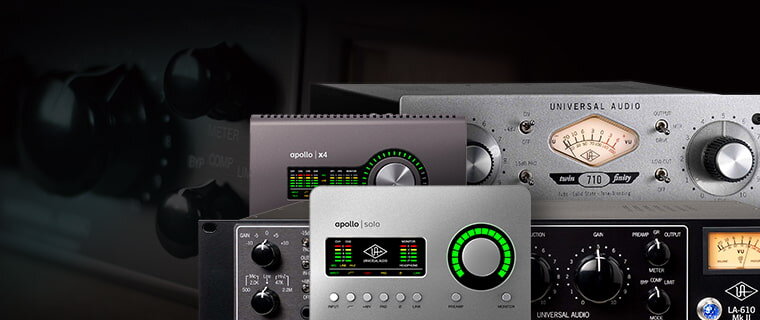
If you are to go through the trouble of upgrading your computer, you may also want to upgrade your audio interface. You now have a super fast computer, you don't want to compromise on the quality of your audio. The critical issue here is the quality of analog to digital conversion and digital to analog conversion. Don't even think of going with an old SoundBlaster AWE 64, or even an SB Live. In fact, forget soundcards all together. By virtue of residing in the computer amid intense electrical fields, and to the low 16 bit bandwidth of these cards, the result will be stressed, compared to the great sound possible today with 24bit 96kHz audio interfaces with outboard converters. Another factor to consider is the cabling to and from the interface. Soundcards, again, won't cut it with their unbalanced 1/8th inch phone jacks. The fact that that are unbalanced makes all the audio traveling through cables susceptible to picking up hum and radio frequency interference, no matter how good your mixer is. Going to an interface which allows you to use balanced cables is a difference you will hear!
One of the things made possible by having a fast DAW is that you can run more audio tracks in your sequencer, use more plugins, and keep things in the digital domain longer. You can transfer digital audio files from one application to another easily and can do digital mixdowns easier, and you'll finally be able to record your MIDI tracks as audio, and really do your entire mix in your sequencer if you want, even elaborate pieces with lots of tracks. I could never get this to work right on my P550, but now it's a new technique to explore.
My choice for doing this was a
Delta 1010, using my Mackie 1402 as its front end for mic and line preamps. Of course there are many other possibilities here. The main thing is to be able to get the audio into the computer as cleanly as possible. Limiting, if possible, the number of conversions from analog to digital to one, keeping you bandwidth as high as you can till your final digital mixdown to 16 bit 44.1 kHz. I've written more about this method in my article Doing it with Digital (link below).
One last tip on Soundcards and audio interfaces--read the feature list carefully. Make sure you see "Windows 2000 compatible" somewhere. I huge issue with older, even high quality cards is that they may not run on Win2000. The older the card, the less profitable it is for companies to update it with new drivers. If it doesn't work in W2k, most likely, it's not going to work on Windows XP either. Unlike CPUs, RAM and motherboards, which you may need to replace every year or two, you don't want to get into this habit with an expensive interface. Plan ahead, get one that will get you through 3 years or more.

The Tweak's Kitchen Table after the upgrade
Tweak's Current PC Daw
Built Spring Break 2005
-
Home tweaked PC
with AMD Athlon 64 3400+ CPU,
-
2 GB Kingston PC3200
400mHz RAM
-
GigaByte GA-K8NS-Pro motherboard
Dual BIOS
-
ATI
All-in-Wonder 9600 Video card
- EMU 1820M
Audio Interface
- Antec TruePower
2.0 430 Watt Power supply
- 320 gigs of storage on 3 drives
- Sony DVD-RW.
- In a
connected enclosure is a SCSI bay with CDRW, and 2 SCSI
hard drives which are dedicated to an emu sampler.
Working good here. Excluding the RAM which was
expensive the MOBO and CPU cost a mere $320. Had some
trouble with the
ATI
All-in-Wonder 9600 Video card in Vegas doing analog
video capture. Overall its a very fast machine
To sum up
The computer landscape is changing fast right now. With a little research into motherboards, CPU's and memory you can turn your old machine into a screaming fast audio processor usually for 300-600 bucks that is ready for new developments with the Windows OS. You will achieve new levels of performance from your sequencers, plugins, audio editors, and software synths. You can build an entire system from scratch for less than $1000 that performs as well, or you can buy a 'barebones" system where you simply pop in your cards and drives. This is not only easier and cheaper, it's better than a brand new off the shelf hi end Dell or Gateway computer that retails for over 2300. In fact, this is exactly how such companies make their profits. You don't have to reinstall all your programs, reinstall an OS and copy thousands of files from old drives to new drives. With luck, you can be humming away on some new tunes in an hour or two, but now on a machine that can keep up with your audio demands. The final advantage to doing it yourself is that you will never again feel you are a hostage to your computer's hardware shortcomings. After building your system you will have the confidence to continue to tweak it into a better, faster and more useful machine for your studio. May you will always have a state-of-the-art music machine.
I hope you enjoyed watching this upgrade and that this article has helped you build the DAW of your dreams.
Rich the Tweak N Geek
back to page 1 2 3
Potent Posts from Studio-central
Recommended Noob reading
Doing it with Digital
Hooking Up Audio MIDI Basics The Many Functions of MIDI Data The Audio Interface Signal Flow Computer-based Studio Signal Flow of an MPC Hip Hop Studio Signal Flow of a MultiTrack Studio Assembling Your Studio Rig Studio setup in a Nutshell 5 Hot Tips Building a Quiet Room Understanding MIDI Interfaces The War on Hum Multiple Video Displays Latency and how to Deal Word Clock TimeCode Everything About Cables Digital Audio Converters Bit Depth and Sample Rate Studio Monitors Impedance for Musicicans How to setup a Patchbay Room Acoustics Basics Studio Monitors Price List Acoustic Products Catalog of MIDI Interfaces |